
Welcome back to the blog.
This is a series of blog posts meant to highlight free design resources such as:
- Colour Palette Tools
- Fonts
- Font Pairing Tools
- Stock Images and Icons
- Mockups
- Miscellaneous Resources
These are all resources that I’ve genuinely used in the past and plan on using for future design projects.
To keep things current, I plan on updating these posts whenever I discover a resource that I enjoy using. In other words, if I like it, you’ll be hearing about it.
This post is going to focus on Font Pairing Tools.
In the most recent post, we focused on some of my favourite font resources. Find them here.
But what do you do once you’ve accumulated a collection of fonts? How do you use them together in a way that’s cohesive?
You’ve probably been there before. Your Design software opens, you’re scrolling for who knows how long through your font collection, trying to find two or three that work well together.
Font Pairing Tools can be used to help you find the right combination of fonts for your project. This tool pairs different types of fonts together to see if they have the right type of chemistry, saving you some of the guesswork.
Here are some of my favourites:
1. Fontjoy
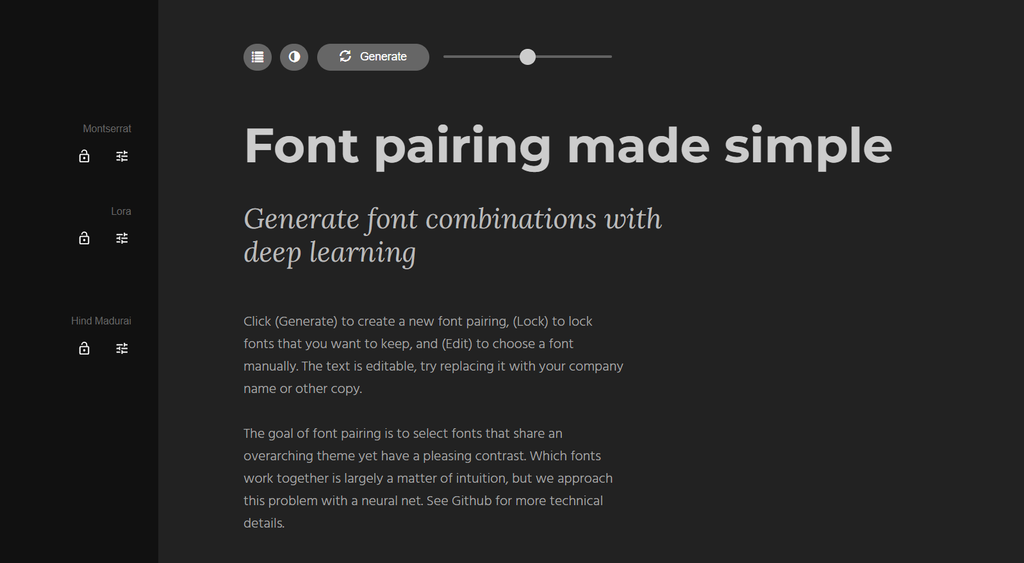
As it says on the landing page, “Font pairing made simple,” this tool is exactly that. I love it for its simplicity and clarity.
The user interface is easy to understand, making the process of getting started with your font pairing decision that much faster, with no distractions.
It allows you to compare up to three fonts at once and adjust the level of contrast you’re looking for in your pairings.
You even have the option to switch between dark and light mode according to your display preferences.
2. Fontpair
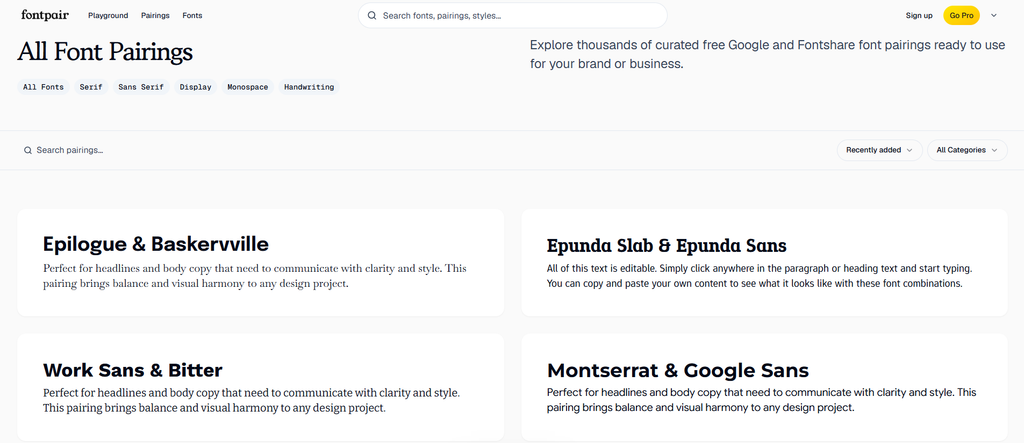
Fontpair delivers you ready-made font pairings and shows you real world examples of what they would look like across apps and websites.
Simply scroll through the pre-made pairings or if you already have a font in mind, search for it instead to see which pairing suggestions were made on its behalf.
This is especially useful if you don’t want to spend time generating pairings one click at a time and would rather find tested pairings that simply work.
Throw in the option to explore UI (user interface) colour palettes and you’ve already gotten a head start on your next project.
So there you have it, my favourite tools for font pairing.
Today’s list was short but don’t let that fool you into thinking that they’re any less valuable.
The next time you find yourself in that font scrolling trance I described at the beginning of this post, give the tools in this list a try. Hopefully they’ll give you the spark of inspiration you need.
If you found this list helpful, be sure to share it with a fellow creative and I’ll catch you in the next one.
Happy pairing!
Until next time,
Naomi